
AI Podcast Intro and Outro Scripts That Get to the Point
Write podcast intros and outros that sound natural, explain the episode, and give listeners one useful next step. Includes adaptable scripts and editing tips.
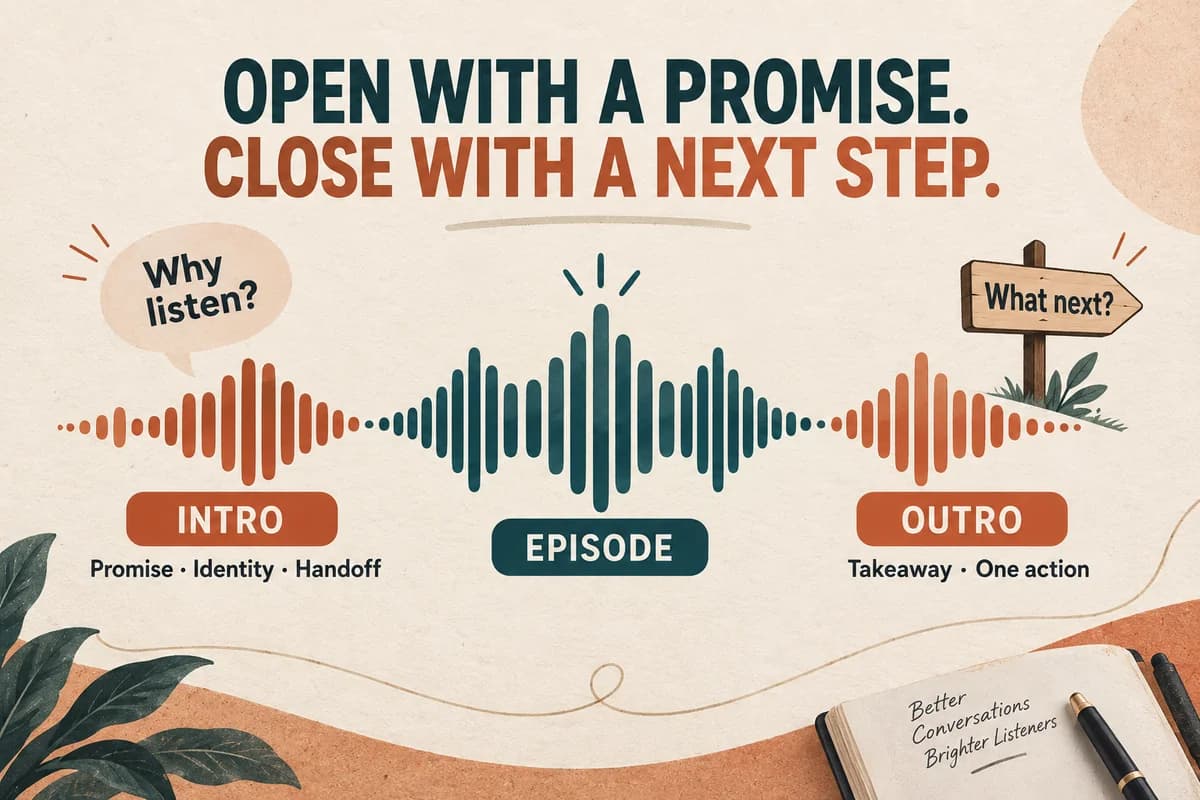
A useful podcast intro tells listeners what they will get, identifies the show, and moves into the episode. A useful outro closes the idea and offers one relevant next step. Write those parts separately, then generate and edit the narration around your actual episode rather than treating the opening as a miniature advertisement.
The examples below use a fictional show, Small Shop Notes. Replace its details with your own promise, audience, and episode topic. All timing estimates are planning examples; measure the generated audio before building a final edit.
Give the intro three specific jobs
Start with the listener's reason to stay. “Today we're comparing three ways to organize a stockroom” does more work than “Welcome to another exciting episode.” Follow that with the show name and a brief transition.
A compact structure is:
- Episode promise: the question this episode answers.
- Identity: the show and, when useful, the host.
- Handoff: the first concrete example or conversation.
For a recurring show, keep the identity line stable and write the promise fresh. Listeners hear a recognizable opening without receiving a long explanation they already know.
Decide whether the announcer is introducing a human host or narrating the whole show. “Here's Maya” makes sense only when Maya actually speaks next. A generated introduction should not imply that a guest recorded words they never said.
Adapt these three intro scripts
Practical teaching show
“Your busiest shelf might be your least organized. Today on Small Shop Notes, we'll build a stockroom layout that makes popular items easier to find. I'm Maya, and we'll start with the box everyone keeps moving.”
This promises a specific result and introduces a concrete opening scene. If the episode instead covers purchasing, change the promise as well as the example.
Interview show
“How do you train a new teammate when the shop never slows down? On Small Shop Notes, Maya talks with store manager Jordan Lee about the first three shifts, the mistakes worth expecting, and the checklist they keep at the register.”
Confirm the guest's name, job title, and actual discussion before generating. A polished introduction cannot compensate for an inaccurate description of the interview.
Narrative show
“At nine on Saturday morning, the card reader stopped working. By nine ten, the line reached the door. This is Small Shop Notes. Today: the backup plan one neighborhood store wishes it had written earlier.”
Use this version when the episode delivers that story promptly. A suspenseful setup followed by several minutes of housekeeping creates a different experience from the one promised.
Draft each option in a voice-over script template so spoken words remain separate from music and editing notes.
Build an outro around one action
The ending should feel like the completion of the episode. Briefly restate the practical takeaway, then offer an action that helps the listener use it.
Download a resource
“Before your next busy shift, choose one place for every item your team reaches for twice a day. The stockroom worksheet is linked in this episode's notes. Thanks for listening to Small Shop Notes.”
Continue to a related episode
“You now have a first-shift checklist. Next, listen to our episode on handing over the register, where we turn that checklist into a five-minute routine. You'll find it in the show notes.”
Invite a specific response
“Which instruction do new teammates ask you to repeat most often? Send that one question through the contact link in the show notes. We may use it to shape a future episode.”
Avoid stacking five requests. A listener who hears “follow, rate, review, share, subscribe, and visit” has to choose the priority you could have chosen for them.
Write for an audible performance
Read the draft out loud before generation. Replace visually tidy shorthand with the words the listener should hear. A URL, an acronym, and an episode number can each sound different from what their spelling suggests.
For example, “Ep. 024: POS setup” could become “Episode twenty-four: setting up your point-of-sale system.” Keep the written title concise in your publishing system while giving the spoken script an unambiguous reading.
Shorten stacked modifiers. “Our weekly independent retail operations improvement podcast” is difficult to hold in working memory. “Practical ideas for independent shops” is easier to follow.
Keep stage directions outside the text you submit for speech. “Music fades here” belongs in your edit notes unless you actually want those words spoken. Do not assume brackets or markup will act as controls in a generator.
Fit the voice into the episode mix
Generate a short draft, place it next to the first spoken segment in your audio editor, and listen to the transition. The questions are practical: does the host suddenly sound distant, does the music hide the show name, and is the pause before the first sentence comfortable?
Start with the voice alone. Add music afterward, then reduce it until every word remains clear at an ordinary listening level. Music selection, fades, mixing, and loudness measurement belong in your editing workflow; they are separate from speech generation.
Measure the whole episode after assembly. Apple publishes an overall loudness recommendation around minus sixteen LKFS with a one-decibel tolerance and a true-peak ceiling of minus one dBFS. That is a destination-specific reference, not a promise that every platform uses the same target. See Apple's audio guidance and our podcast loudness workflow.
Keep a reusable production package
Save a clean voice-only intro, a mixed intro, the approved script, and the editor project. Name the evergreen identity separately from episode-specific lines. When a host name or show promise changes, you can find the affected asset.
Before publishing, confirm that:
- The topic promise matches the finished episode.
- Every name and number is correct.
- The outro resource actually exists.
- The music use is authorized for the intended release.
- The final export includes the complete first and last words.
- The episode notes contain the promised links.
To try the wording, make a short narration draft in VocalCopyCat, then judge it inside the episode. The right intro is the one that makes the next minute easier to enter.
Try Our Voice Clone Demo
Hear your words come to life
Choose a voice and try a short preview.
Listen to sample voices
Hear examples before choosing a voice. Generated results can vary with the script and reference sample.
Looking for another voice?
Explore the library and listen to a sample before you create.

Morgan Freeman

Stephen Hawking

Christiano Ronaldo

Donald Trump

Kokoro

Disney XD Announcer

Cute Japanese Girl
Vin

Adam Stone
Transform Your Content with AI Voice Technology Today
Try a short voice preview, then create speech and save your audio in a workspace built for your next project.
Generate Your Voice Now