
How to Record and Edit Audiobook Chapters Consistently
Plan audiobook chapters, prepare narration, manage pickups, and check chapter continuity with a practical workflow for recording, editing, and delivery.
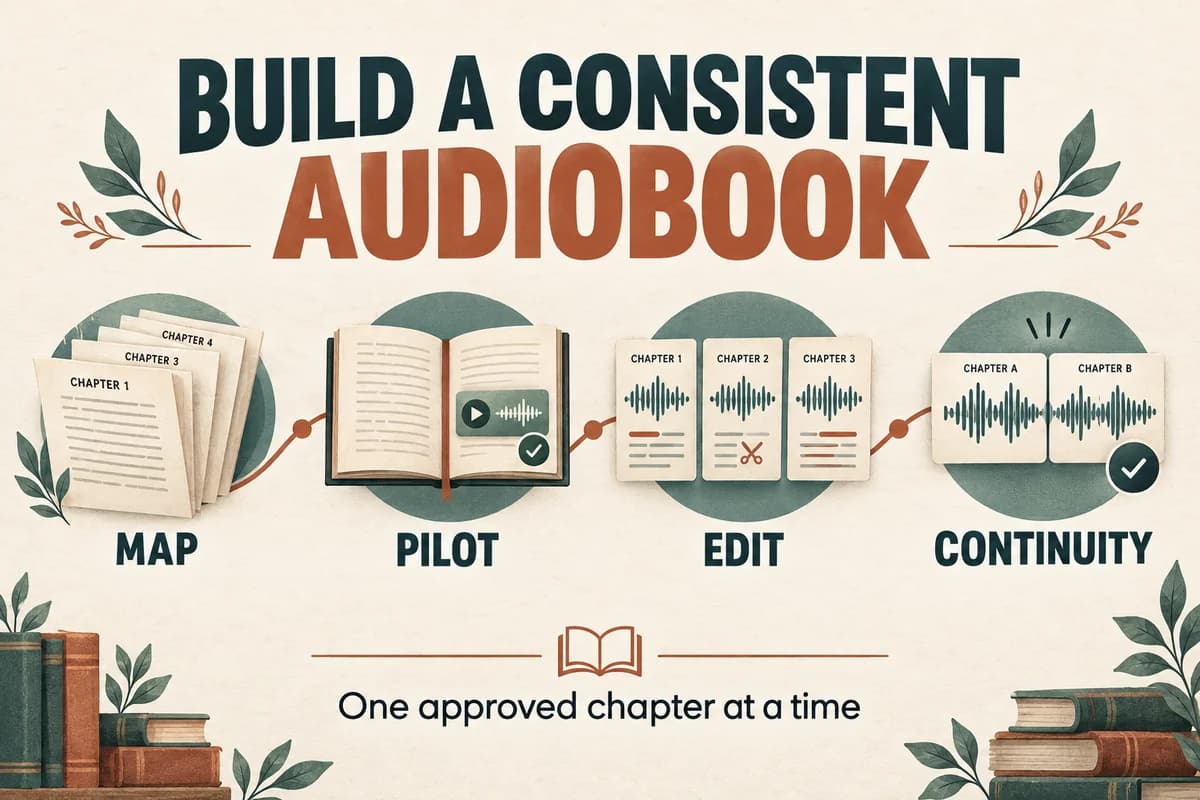
Produce an audiobook one approved chapter at a time: establish the narration approach with a pilot, record or generate manageable sections, edit against the manuscript, and review continuity across chapter boundaries. A consistent process matters more than finishing a long first take quickly.
Before making a book with synthetic narration, confirm that your intended distributor accepts that production method. For example, ACX's published requirements prohibit unauthorized text-to-speech or AI narration and require human narration unless otherwise authorized. Check the current destination rules before committing to production. ACX audio submission requirements.
Build a chapter map from the final manuscript
Create an inventory before opening the recording or editing session. Include front matter, main chapters, epilogue, acknowledgments, and any companion material.
For each item, record the manuscript section, spoken title, estimated word count, source version, and intended output file. Decide which page elements will be read and which need adaptation.
A printed reference such as “see the table on the next page” needs attention in audio. You might summarize the table's point and direct listeners to a clearly identified companion document. Do not improvise these choices during recording; they affect both the script and the listener's understanding.
Keep an exception list for footnotes, charts, quotations, unusual names, and pronunciation decisions. If the author approves a shortened explanation, record that approval beside the section. The goal is to know why the audio differs from the page.
Approve a representative pilot
Choose a passage that includes the book's real difficulties. For fiction, that may be narration, dialogue, a place name, and a change in emotional intensity. For nonfiction, use a passage containing an explanation, a list, and a number.
Finish this pilot through the actual workflow: narration, editing, review, and a sample delivery export. A raw recording alone does not reveal how the final production will feel.
Ask the reviewer to evaluate specific decisions:
- Does the pace fit the subject and expected listener?
- Are character or speaker distinctions sustainable?
- Are names and technical terms correct?
- Does the narration style work for several minutes?
- Are adapted tables or footnotes understandable?
Save the approved pilot as a reference. Later, compare new chapters with it at similar playback levels. A reference clip gives “keep the same style” a concrete meaning.
Capture sections with enough context
For human narration, keep the recording setup and session notes consistent. Record a short comparison passage at the beginning of a new session so you can notice obvious changes before recording a full chapter.
For generated narration, preserve the approved script and the voice reference or selection details available in your workflow. Generate coherent paragraphs or scenes rather than assuming the entire book must be processed in one request. Check the actual tool's limits.
When a line needs replacement, capture the surrounding sentence or paragraph as well. Context helps you choose a natural edit boundary. An isolated corrected word can be difficult to join when rhythm and intonation differ.
Keep all original takes until the chapter is approved. Mark preferred takes in a log; avoid deleting alternatives in the middle of a review cycle.
Edit in passes with separate goals
First, make an accuracy pass against the manuscript. Check omissions, repeated phrases, transposed names, changed numbers, and words that alter meaning. Mark timing notes so fixes can be located again.
Second, review the listening experience. Listen without reading to notice abrupt joins, unnatural pauses, inconsistent energy, or a character voice that changes unexpectedly.
Third, perform the technical work in your audio editor. This may include trimming, joining replacement passages, adjusting levels, and creating delivery files. Apply changes according to the destination specification and what the audio actually needs.
Do not hide a missing sentence behind a smooth crossfade. A clean join is only successful when the text and meaning are correct. Likewise, a perfectly literal reading may still need an approved adaptation if it depends on a diagram the listener cannot see.
Use the voice-over quality assurance checklist as the basis for a chapter review sheet.
Check continuity across the whole book
Chapter approval is necessary, but it is not the final book review. Listen to the last passage of one chapter followed by the beginning of the next.
Look for differences in level, pace, pronunciation, naming, and the treatment of chapter headings. A chapter can sound fine alone while feeling inconsistent beside its neighbors.
Track recurring terms in one pronunciation document. If chapter seven reveals that a surname was wrong, search the chapter map and correction log for every earlier occurrence. Correcting just the latest instance leaves a book-wide problem unresolved.
Check sequence as well. A missing preface or duplicated chapter is easy to overlook when files are reviewed independently. Match the final list of files against the chapter inventory before preparing the upload.
Deliver an organized, reviewable package
Keep source recordings, edit projects, approved masters, and distribution exports in separate folders. Include a manifest that identifies which files are ready for release.
A useful row might read: “Chapter 06; manuscript revision 4; narration take 3; review approved; delivery export 2.” Your team should not have to infer approval from a filename containing “final.”
For a naming pattern and revision log, use our guide to organizing voice-over files. The same structure works for a single narrator and a team.
Before delivery, confirm that every chapter has been listened to in its final form, all required credits are present, approved corrections are included, and the distributor's current file requirements are satisfied. Keep the editable project so a later correction does not require reconstructing the book from compressed delivery files.
If your chosen publishing route permits synthetic narration, VocalCopyCat can be part of the narration stage. The chapter map, editorial review, assembly, and distribution checks remain your production workflow.
Try Our Voice Clone Demo
Hear your words come to life
Choose a voice and try a short preview.
Listen to sample voices
Hear examples before choosing a voice. Generated results can vary with the script and reference sample.
Looking for another voice?
Explore the library and listen to a sample before you create.

Morgan Freeman

Stephen Hawking

Christiano Ronaldo

Donald Trump

Kokoro

Disney XD Announcer

Cute Japanese Girl
Vin

Adam Stone
Transform Your Content with AI Voice Technology Today
Try a short voice preview, then create speech and save your audio in a workspace built for your next project.
Generate Your Voice Now