
A Voice-Over Quality Assurance Checklist Before Release
Review voice-over accuracy, pronunciation, pacing, edits, and final files with a practical checklist that catches problems before your audio reaches listeners.
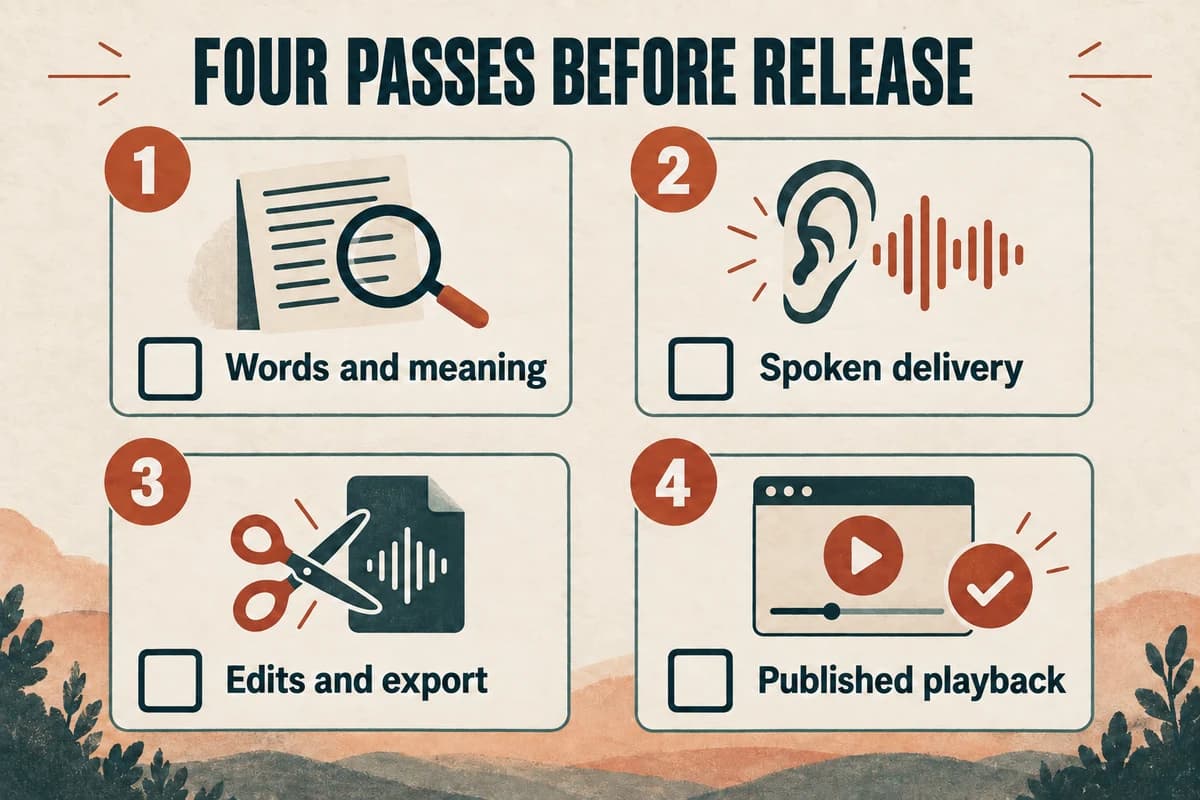
Review a voice-over in separate passes for meaning, spoken delivery, editing, and the final published file. Listen to the complete deliverable against the approved script, then check it again in the context where the audience will hear it.
A voice can sound smooth while omitting a word that changes the instruction. A technically valid audio file can still be the wrong revision. A useful quality checklist covers both the content and the handoff.
Define what counts as an acceptable result
Before review, identify the approved script, intended audience, delivery destination, and person who resolves corrections. Agree on any required duration, filename, format, or destination-specific audio specification.
Write acceptance criteria in terms that can be checked. “Every product name matches the approved pronunciation sample” is stronger than “sounds professional.” “The final call to action names the actual destination” is stronger than “good ending.”
For a short tutorial, the acceptance criteria might include correct field names, complete instructions, understandable pacing, captions aligned with the final audio, and a working published player.
Separate defects from preferences. A missing “not” is a defect. Choosing between two acceptable readings may be a creative preference. Both can deserve attention, but they should not be confused when a deadline approaches.
Keep the approved wording in a voice-over script template so reviewers can identify the exact segment.
Pass one: verify words and meaning
Follow the script while listening. Check every sentence, with extra attention to names, numbers, units, negatives, and instructions.
Look for:
- Omitted or repeated words.
- Changed order in a list.
- A different number, date, or product name.
- Added sounds or words that are not in the script.
- A sentence ending cut off during generation or editing.
- An instruction that conflicts with the current product or process.
Mark the segment and the actual problem. “S040, second sentence: ‘before’ should be ‘after’” gives the producer a precise correction.
Do not assume automated transcription is a complete accuracy review. A transcript can be a helpful comparison aid, but the final check still needs someone to hear the audio and understand the intended meaning.
If the approved script itself is wrong, update and reapprove the script. Otherwise the team may keep regenerating an incorrect sentence perfectly.
Pass two: review delivery without reading
Listen again without following the text. This helps reveal places where the writing or performance is hard to understand on first hearing.
Notice unusual emphasis, rushed lists, long pauses in the middle of a phrase, abrupt emotional changes, and pronunciation that makes a familiar word sound like another word.
Ask what caused each issue. A sentence may need simpler wording, a different generation attempt, a larger replacement passage, or an edit in the audio timeline.
For a tutorial, listen at the pace of the demonstrated action. If the voice moves to the next step before the viewer can locate the control, revise the timing or the script.
For a podcast, compare the generated segment with the nearby host or guest speech. A delivery that works alone may feel disconnected inside the episode.
Record the preferred fix rather than asking vaguely for “more natural” speech. A concrete note saves another uncertain review cycle.
Pass three: inspect edits and technical delivery
Review every join and replacement passage with surrounding context. Listen for clipped consonants, duplicated endings, abrupt level changes, and silence that feels accidental.
Check the first and last words of each file. Trimming can remove a quiet opening consonant or a trailing syllable even when the timeline looks tidy.
Measure levels using the requirements of the intended destination. Do not copy a podcast setting into an audiobook project without checking the delivery specification. Keep the technical checks in the audio editor or analysis tool; speech generation alone does not verify the assembled export.
Confirm channel configuration, duration, file format, and sample rate against the agreed brief. Use an actual file inspector or editor rather than relying only on the extension in the filename.
Then reopen the exported file and listen to it. The timeline and the exported asset are not always the same selection or revision.
Pass four: check the published experience
Play the audio in the destination page, app, course, or video. Test the start, seeking, pause, and ending using the controls listeners receive.
If the audio accompanies visuals, confirm that the words refer to what appears at that moment. Check captions, transcript, chapter labels, and linked resources against the released audio.
For web media, give the listener control over playback. W3C discourages automatic audio that can interfere with screen-reader output and explains the audio-control requirement for longer autoplaying sound. W3C guidance on audio control.
Verify the release file identity. A project can pass all editorial checks and still publish yesterday's version because a similarly named file was selected.
Use the actual published URL or delivery package as the final review reference, then record who checked it and when.
Close corrections with a small issue log
Use a log with issue ID, segment, category, severity, requested change, owner, and status. Keep the categories simple: content, pronunciation, pacing, edit, technical, and publishing.
After a fix, listen to the corrected segment and its neighbors. A replacement can solve the original problem while introducing a new transition issue.
For larger changes, recheck the complete export. For a local pronunciation correction, focus on the replacement and the final file identity unless the edit changed the wider assembly.
Our file and revision organization guide helps connect each correction to the right source and export.
The release checklist is complete when the final asset has been checked, blocking issues are resolved, and the approved version is clearly identified. Use VocalCopyCat to create or revise narration, then carry the same review discipline through editing and publication.
Try Our Voice Clone Demo
Hear your words come to life
Choose a voice and try a short preview.
Listen to sample voices
Hear examples before choosing a voice. Generated results can vary with the script and reference sample.
Looking for another voice?
Explore the library and listen to a sample before you create.

Morgan Freeman

Stephen Hawking

Christiano Ronaldo

Donald Trump

Kokoro

Disney XD Announcer

Cute Japanese Girl
Vin

Adam Stone
Transform Your Content with AI Voice Technology Today
Try a short voice preview, then create speech and save your audio in a workspace built for your next project.
Generate Your Voice Now