
A Voice-Cloning Permission Checklist for Projects
Document a voice-cloning project's purpose, permitted uses, review process, access, and end date with a practical checklist for speakers and production teams.
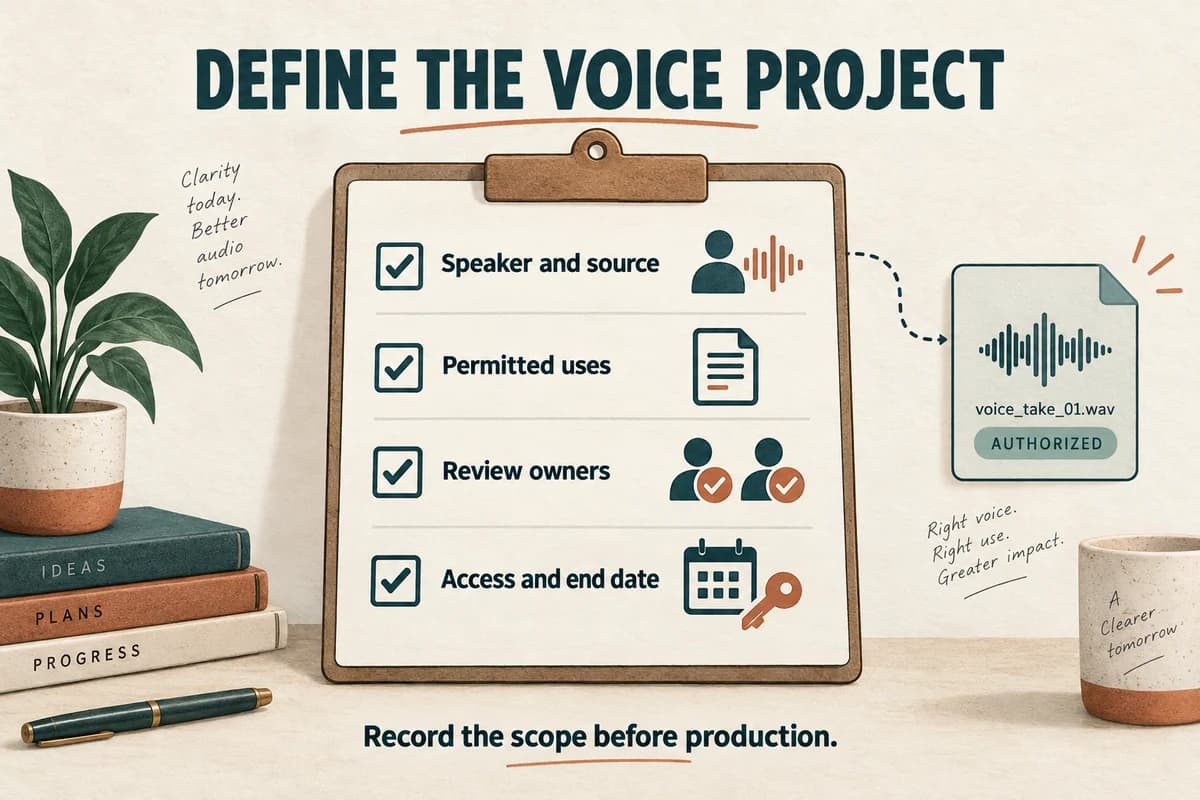
Before cloning a voice for a project, document who is contributing the voice, what the synthetic audio will be used for, who may create it, and how outputs will be reviewed. Make the project boundaries understandable to the speaker and the production team before collecting or uploading reference recordings.
This is a practical planning checklist, not a legal agreement or a determination that a particular use is permitted. It helps identify decisions that a suitable agreement and production process should address.
Describe the project in ordinary language
Start with a specific purpose. “Create a synthetic version of your voice for six internal onboarding lessons” is clearer than “use your voice for content.”
Identify the organization or person responsible, the speaker, the project title, the expected audience, and the distribution channels. State whether the material is internal, publicly available, promotional, or part of a paid product.
Explain what the process produces: new spoken audio from text using characteristics of the reference voice. Do not describe it merely as editing an existing recording if new words will be generated.
Voice-cloning misuse can involve impersonation and reputational harm; the FTC discusses these risks in its work on harmful voice cloning. That makes clear project boundaries a practical concern even when a team begins with good intentions. FTC discussion of voice-cloning harms.
Record permission separately from possession
Having an audio file does not, by itself, establish the project's permission to create a synthetic voice from it. Record how the speaker agreed to this specific process and who verified the scope.
Identify the source recordings by filename and date. Note whether they were recorded for this project or supplied from an earlier session.
If the recording includes other speakers, background conversation, music, or third-party material, resolve whether it is appropriate to use before uploading it. A clean reference process should make it clear whose voice and which material are involved.
Ask the speaker to review a plain-language description of the workflow and, when appropriate, an example of the resulting audio. Keep a record of questions and clarifications.
For organizational projects, make sure the person arranging the production has authority to approve the intended work. A colleague forwarding a recording is not the same as a completed permission process.
List the permitted uses and boundaries
Write the scope in fields that can be checked later:
- Content: the named course, series, campaign, or other project.
- Channels: the places where the audio may be distributed.
- Audience: internal staff, customers, or the public.
- Languages: the languages included in the plan.
- Duration: when production and distribution may occur.
- Reuse: whether excerpts, updates, or derivative versions are included.
- Restrictions: subjects or contexts excluded from the project.
- Compensation and credit: the agreed arrangement, if applicable.
Do not assume that one field answers another. Permission for an internal lesson does not describe whether an advertising campaign is included. A recording created in one language does not settle whether other language outputs are part of the agreement.
If scope changes, document the change before producing the new use. Treat a new channel or message type as a reason to recheck the plan.
Agree on script and audio review
Specify who reviews the text, who listens to the generated audio, and what happens when either reviewer requests a correction.
For a small project, the speaker might approve the pilot and final scripts, while a production reviewer checks every finished file. Another project may require speaker approval of every released audio segment. The important point is to agree rather than infer.
Decide how to handle outputs that change the intended meaning, sound unsuitable, or place emphasis in an unacceptable way. Keep rejected outputs out of the release folder.
Record approval against a specific script revision and audio filename. “Looks good” in a conversation becomes ambiguous after several replacements.
If the audio will be presented in a context where listeners might mistake it for a direct recording, decide how the synthetic nature will be communicated and check the destination's current requirements. Do not assume one label satisfies every platform or situation.
Plan access, storage, and the end of the project
List the people who may upload reference recordings, generate new audio, download files, and publish results. Keep the list as small as the actual workflow allows.
Record where the source recordings, voice assets, scripts, and outputs will be stored. Check the chosen provider's current terms and data-handling information rather than making assumptions about retention or deletion.
Agree on what happens when the project ends or a permission-related concern is raised. Identify a contact, a review process, and the actions available for unpublished files, future generation, and already distributed content.
Do not promise that every external copy can be removed if your team cannot ensure that. Write down the practical actions you can perform and the limits that need to be discussed.
Our file and revision organization guide provides a structure for tracking assets and release records.
Keep a compact project record
Create a one-page summary with the project purpose, responsible contact, speaker, source recordings, permitted uses, restrictions, review owners, storage locations, and relevant dates. Link it to the underlying agreement and approval evidence.
Before the first production run, check that the speaker understands the intended use, the team can identify the authorized recordings, and nobody is relying on an unresolved assumption about scope.
Before release, confirm that the specific output falls within the agreed project and has completed its review. Recheck the record when the project expands or changes hands.
If you are still deciding whether a specific speaker is necessary, read voice cloning versus text-to-speech. A suitable available voice may meet a project that does not require personal identity.
When the project and permissions are ready, explore the applicable workflow in VocalCopyCat. Keep the permission record connected to the production files so later revisions remain accountable to the same clear understanding.
Try Our Voice Clone Demo
Hear your words come to life
Choose a voice and try a short preview.
Listen to sample voices
Hear examples before choosing a voice. Generated results can vary with the script and reference sample.
Looking for another voice?
Explore the library and listen to a sample before you create.

Morgan Freeman

Stephen Hawking

Christiano Ronaldo

Donald Trump

Kokoro

Disney XD Announcer

Cute Japanese Girl
Vin

Adam Stone
Transform Your Content with AI Voice Technology Today
Try a short voice preview, then create speech and save your audio in a workspace built for your next project.
Generate Your Voice Now