
Voice Cloning vs. Text-to-Speech: Which Do You Need?
Understand how voice cloning and text-to-speech relate, compare their production needs, and choose a practical approach for narration, training, or brand audio.
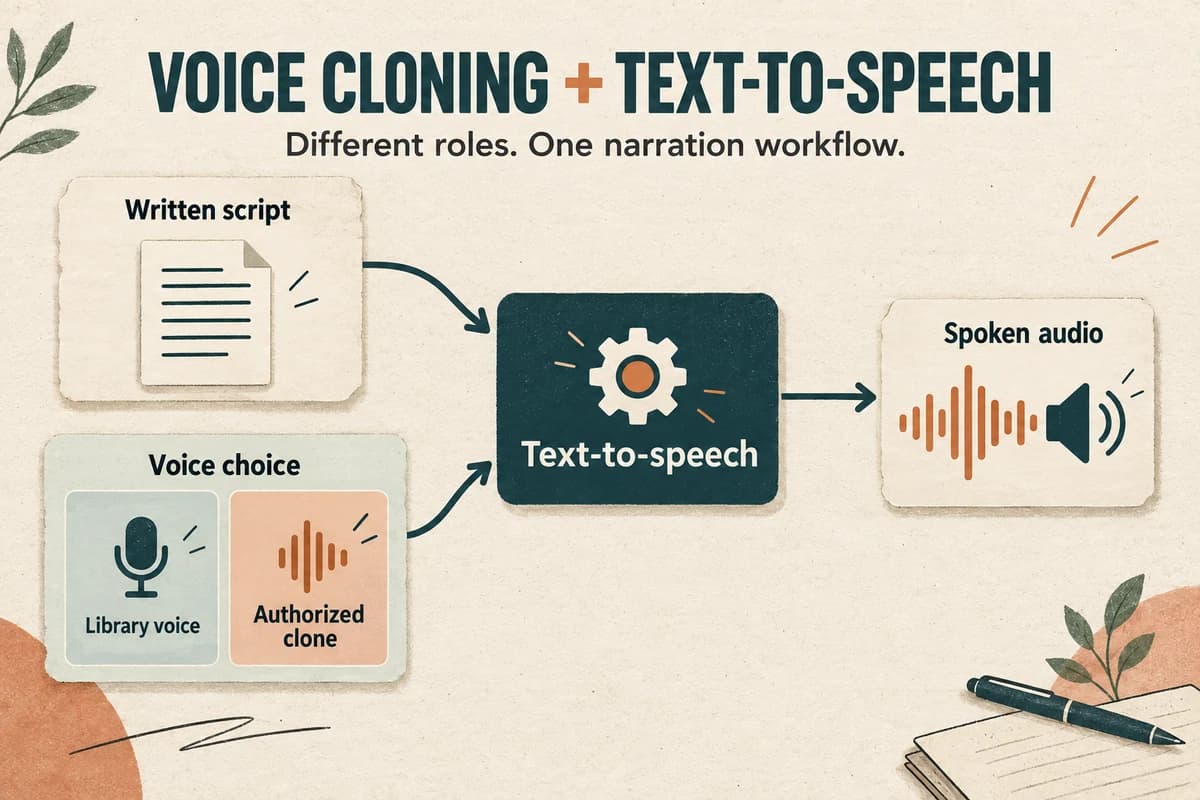
Text-to-speech converts written text into spoken audio. Voice cloning focuses on creating or reproducing characteristics of a particular voice. They can work together: a cloned voice may be used to speak new text through a text-to-speech system.
The practical choice is therefore not always one technology versus the other. It is often a choice between an available library voice and a voice based on a specific speaker, followed by the same work of scripting, listening, editing, and review.
Separate the voice from the speech task
Think of the script as the content, the selected voice as the delivery identity, and the generated audio as the result.
A library-voice workflow starts with a voice already available in the tool. A cloning workflow adds reference material or another provider-specific process to establish the speaker characteristics. The exact requirements differ by service.
Microsoft's speech overview describes text-to-speech as producing speech from text and distinguishes available voices from custom-voice options. It is one concrete example of how these categories can coexist within a speech service. Microsoft text-to-speech overview.
Neither term tells you everything about the result. “AI voice” does not guarantee a particular pronunciation, emotion, language, or level of similarity. Evaluate an actual sample with your script rather than relying on the category name.
Choose a library voice when identity is flexible
A library voice can be a practical starting point when the project needs clear narration but does not depend on sounding like a specific person.
Examples include an internal software tutorial, a draft explainer video, a fictional narrator, or a short audio version of a guide. In each case, you can define the delivery qualities you need and evaluate available voices against them.
Create a short audition script with the real vocabulary. Include a name, a number, an instruction, and a longer sentence. A pleasant greeting is not enough to judge a voice for a technical lesson.
Also check the provider's applicable usage terms and the needs of your destination. The fact that a voice appears in a library does not answer every question about your planned use.
Our guide to choosing a brand voice offers a scorecard for comparing delivery rather than choosing from labels alone.
Choose cloning when a specific speaker matters
Cloning may be relevant when a speaker wants an authorized synthetic version of their own voice for a defined project, or when an organization has a documented arrangement with a voice contributor.
For example, a course creator might want continuity with their own recorded lessons. The project still needs a clear scope: which lessons, which languages, who can generate new material, and who approves release.
Treat reference preparation and permission as production inputs. If either is unresolved, the workflow is not ready merely because the tool can accept an audio upload.
Do not choose cloning simply to avoid making a creative decision about the voice. If the identity itself does not matter, a well-selected library voice may meet the brief with fewer project dependencies.
Cloning also does not remove the need to review each output. Similarity to a speaker and correctness of the spoken message are separate questions.
Compare the work before committing
For either approach, plan the following stages: script preparation, a representative sample, pronunciation review, production, editing, final checks, and publication.
A cloning project adds questions about source recordings, speaker permission, reference suitability, approved uses, and ongoing access. A library-voice project still needs a clear record of the chosen voice and applicable use conditions.
Use a small comparison table in your project notes:
- Identity requirement: any suitable narrator, or a particular consenting speaker.
- Available inputs: approved text, plus reference recordings if required.
- Review owner: someone who can approve content and delivery.
- Continuity needs: a one-off clip or a series maintained over time.
- Destination: where the audio will be used and what it requires.
Do not reduce the decision to generation speed alone. Review time, revision frequency, and the ability to reproduce an acceptable result can matter just as much to the finished project.
Test both options with the same brief
If both approaches are appropriate and authorized, compare samples using identical text and a consistent listening setup.
Score accuracy, pronunciation, pace, clarity, fit for the subject, and ease of revision. For the cloned option, also ask the speaker or authorized reviewer whether the result is acceptable for the agreed purpose.
Avoid scoring only how impressive the first sentence sounds. Include the difficult material: product names, abbreviations, numbers, and transitions. Listen to a longer passage before choosing a voice for a long course or audiobook.
Record what would make you reject a sample. For an instructional video, a consistently mispronounced field name may matter more than a subtle difference in expressiveness.
Save the approved sample and production notes. They provide a baseline when later outputs differ or the project moves to another editor.
Document the decision and the release scope
Write a short decision statement: “Use an available narration voice for the help-center series because speaker identity is not part of the requirement,” or “Use the contributor's authorized synthetic voice for the named course modules, subject to their agreed review process.”
For cloning, use the voice-cloning permission checklist to record the project boundaries and responsible people. It is a practical production record, not a substitute for a suitable agreement.
Keep the final audio review separate from the technology choice. The selected method can be appropriate while an individual output still needs correction.
Explore a short narration draft in VocalCopyCat, then decide based on your actual brief and the audio you hear. The useful question is which workflow gives your project a suitable, authorized, and maintainable voice.
Try Our Voice Clone Demo
Hear your words come to life
Choose a voice and try a short preview.
Listen to sample voices
Hear examples before choosing a voice. Generated results can vary with the script and reference sample.
Looking for another voice?
Explore the library and listen to a sample before you create.

Morgan Freeman

Stephen Hawking

Christiano Ronaldo

Donald Trump

Kokoro

Disney XD Announcer

Cute Japanese Girl
Vin

Adam Stone
Transform Your Content with AI Voice Technology Today
Try a short voice preview, then create speech and save your audio in a workspace built for your next project.
Generate Your Voice Now