
How to Record a Voice Cloning Sample That Sounds Clear
Record a cleaner voice cloning sample with a practical room, microphone, script, and listening checklist, plus a simple method for choosing your best take.
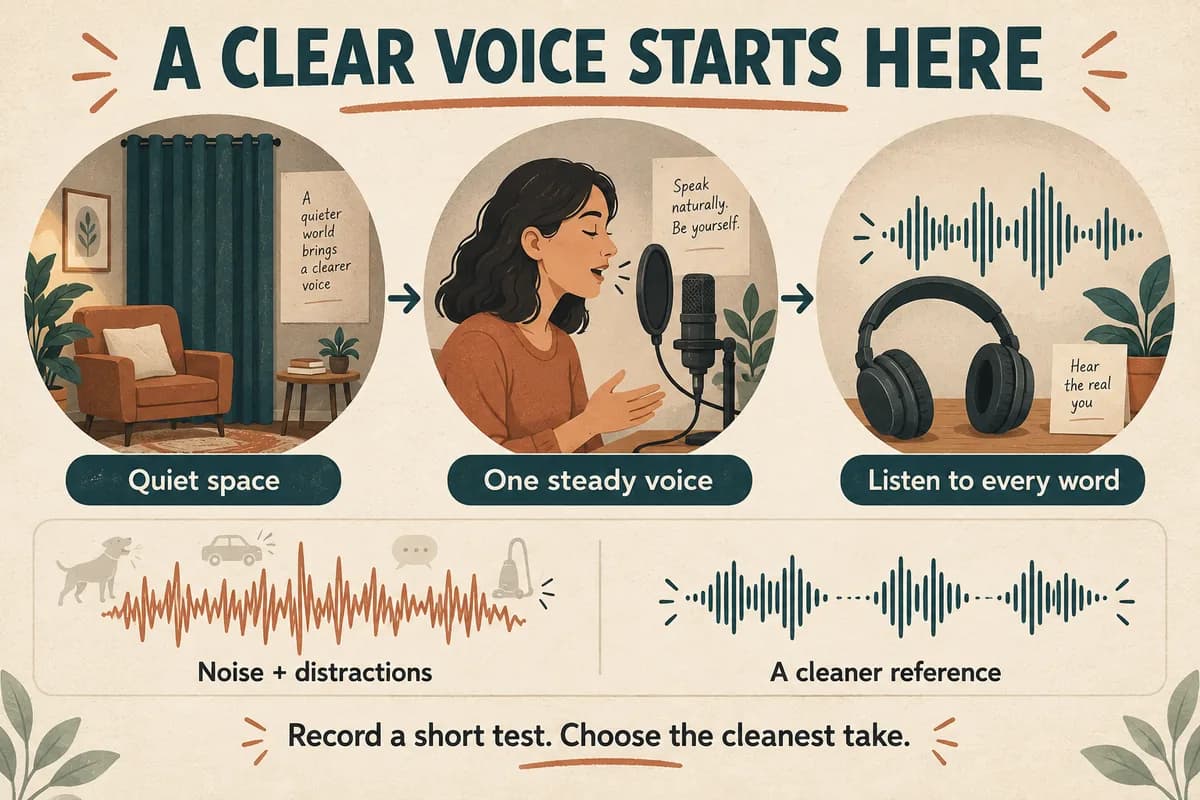
A useful voice cloning sample starts with one clear speaker, a quiet space, and a steady delivery. Record your ordinary speaking voice without music or effects, listen to the complete file, and choose the cleanest take. A longer recording is not automatically better if it adds noise, mistakes, or inconsistent tone.
Think of the sample as a reference portrait. You want it to represent the voice you intend to use, rather than a performance you cannot comfortably repeat. The workflow below helps you make that reference deliberately.
Decide what the voice should represent
Before recording, write a one-sentence brief: “A calm, conversational voice explaining a software tutorial,” for example. Keep that sentence beside your script. It gives you a consistent target when comparing takes.
A tutorial reference and an energetic promotional reference might sound different even when the same person records both. Avoid switching between whispering, shouting, character impressions, and neutral narration inside one short sample. Those experiments make it harder to decide what a successful result should sound like.
Use your own voice or a voice you have permission to use. Record one person at a time. A podcast excerpt with a second speaker, overlapping laughter, and background music is a less controllable starting point than a fresh recording made for the project.
Check the upload requirements in the tool you plan to use before recording. File formats, duration limits, and other requirements vary; there is no universal sample length that fits every voice cloning system.
Choose the quietest practical recording position
Listen to the room before pressing record. Refrigerators, computer fans, traffic, and heating systems can disappear from your attention while remaining audible in a recording. Move away from the obvious source or choose a quieter time.
Record a short passage in two possible positions. One might be beside a curtain; another might be near a bare wall. Listen on headphones and compare how clearly the words stop after each sentence. Pick the position that sounds less distant and hollow.
Do not judge the room only by how quiet it feels. A quiet bathroom can still produce an obvious echo. Rugs, curtains, and upholstered furniture are useful things to experiment around, but the recording itself is the deciding evidence.
Keep the computer and script somewhere you can use them without leaning away from the microphone. Silence notifications and place the phone on a stable surface if it is your recorder.
Set the microphone with a short test
Read your loudest planned sentence before the real take. Watch the recorder's meter and leave room for normal changes in speaking volume. If the signal reaches the recorder's maximum and sounds rough, lower the input level and record again.
A practical starting point for many desktop setups is roughly a handspan from the microphone, followed by a listening test. The correct distance depends on the microphone and room. Shure notes that getting closer to a directional microphone can increase bass, so distance changes may alter tone as well as volume. Shure's vocal recording guide explains this placement issue.
Keep your head in approximately the same position throughout the take. If words beginning with P or B create thumps, adjust the microphone slightly out of the direct path of your breath and test again. See the microphone placement guide for a repeatable comparison exercise.
Read a script you can say comfortably
Choose everyday language with complete thoughts and varied sentence lengths. Read it once silently, then once aloud before recording. Mark any phrase that makes you stumble and simplify it.
For example, replace “The implementation facilitates streamlined collaboration” with “This setup helps the team work together.” Your goal is a natural reference, so there is little value in making the reading unnecessarily difficult.
Use ordinary statements, a question, and a short explanation. Keep the overall mood consistent. Our voice cloning sample script includes adaptable passages and a method for selecting them.
If you make a mistake, stop briefly and repeat the entire sentence. Keep going rather than apologizing into the microphone. You can select a continuous clean passage afterward. Avoid assembling a sample from many unrelated recording sessions, especially if the room or microphone position changed.
Compare takes before processing them
Record two or three deliberate takes. Label them immediately, such as “desk-curtain-take-one,” rather than relying on memory. Listen at a comfortable, consistent playback volume.
Use four questions to compare them:
- Can you understand every word without reading the script?
- Does the voice stay at a similar distance and tone?
- Are there thumps, harsh crackles, overlapping sounds, or obvious echoes?
- Does the delivery match the brief you wrote before recording?
Choose the take that needs the fewest repairs. If every take contains a loud fan, solve that recording problem before spending time on effects. For a mildly noisy file that cannot be rerecorded, follow the conservative approach in removing background noise.
Keep an untouched original. Trim unwanted starts, stops, and mistakes in a copy. Do not add music, reverb, or a dramatic radio-style processing chain to the reference.
Save a reference you can reproduce
Create a small recording note alongside the file: microphone, room position, approximate distance, input setting, and recording date. A phone photograph of the setup can be more useful than a complicated equipment diagram.
Name the final file clearly. “voice-reference-calm-v1” is easier to identify later than “audio-final-final.” Keep the original recording and prepared upload separately.
After preparing the reference, try a short, familiar paragraph in VocalCopyCat and listen for the qualities that matter to the project. Evaluate clarity, pronunciation, and consistency before generating a long script. The first test should help you decide whether the reference fits the task.
Common recording questions
Can I use a phone? Yes, if the resulting recording is clear and the file meets your tool's requirements. Keep the phone still and test distance carefully. Evaluate the actual audio before deciding that different hardware is necessary.
Should I remove every breath? No. Remove distracting mistakes or noises, but do not turn a comfortable reading into a string of tightly cut words. Listen for continuity after every edit.
What if my recorded voice sounds unfamiliar? Compare takes against the intended delivery, not your memory of how you sound while speaking. Ask a trusted listener whether the recording sounds recognizably like your ordinary voice.
Try Our Voice Clone Demo
Hear your words come to life
Choose a voice and try a short preview.
Listen to sample voices
Hear examples before choosing a voice. Generated results can vary with the script and reference sample.
Looking for another voice?
Explore the library and listen to a sample before you create.

Morgan Freeman

Stephen Hawking

Christiano Ronaldo

Donald Trump

Kokoro

Disney XD Announcer

Cute Japanese Girl
Vin

Adam Stone
Transform Your Content with AI Voice Technology Today
Try a short voice preview, then create speech and save your audio in a workspace built for your next project.
Generate Your Voice Now