
A Voice Cloning Sample Script You Can Adapt and Record
Use an original voice cloning sample script with conversational, tutorial, and story passages, then adapt the wording and record a consistent reference voice.
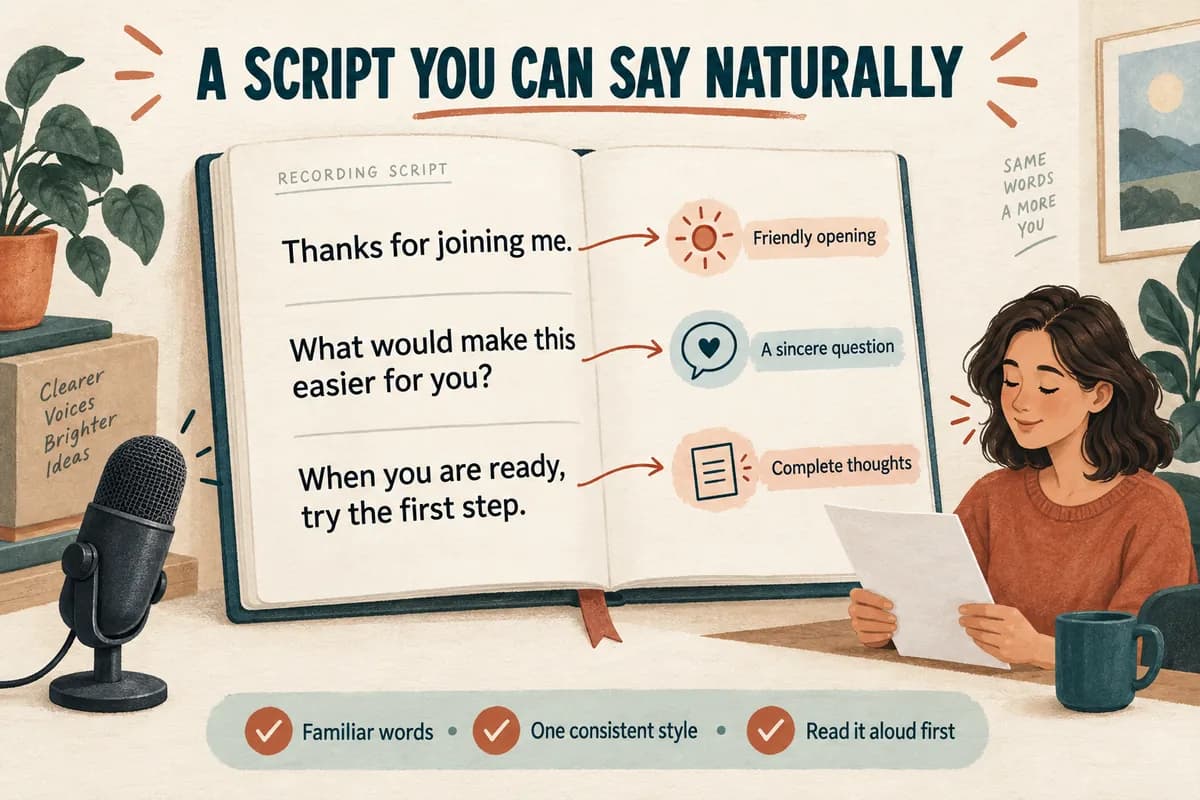
A good voice cloning sample script is easy to read naturally and appropriate for the voice you want to create. Start with clear everyday sentences, keep one consistent speaking style, and include a little variety in phrasing. Do not force yourself through tongue twisters or a list of disconnected sounds.
The original passages below are templates you can adapt for your own recording. They are not a scientifically validated training set, and no script guarantees a particular cloning result. Check your chosen tool's recording requirements, then select enough suitable text for that workflow.
Choose a purpose before choosing a passage
Write down where the voice will be used: a tutorial, a narrated video, a short announcement, or a story. Read the passage in the style that fits that purpose. You do not need an exaggerated announcer voice unless that is actually the delivery you want.
Keep vocabulary familiar on the first attempt. If a sentence feels awkward in your mouth, rewrite it. A smooth reading of ordinary language is more useful for this exercise than a strained performance of impressive language.
Before using any passage, follow the room and microphone checks in how to record a voice cloning sample. A thoughtful script cannot compensate for a second person talking beside you or a microphone that distorts whenever you get louder.
Record only a voice you own or have permission to use. The scripts describe fictional situations and do not require you to disclose personal information.
Passage one: a friendly everyday explanation
Read this as though you are helping one person, rather than addressing a large auditorium:
Thanks for joining me. Before we begin, take a moment to get comfortable and make sure you can hear everything clearly. Today, we are going to turn a complicated idea into a few manageable steps.
First, choose the part that matters most. You do not have to solve every problem at once. A small change is easier to understand when you can see what happened before and after it.
What would make this easier for you? Perhaps you need a clearer example, a little more time, or a place to write down your questions. Any of those is a reasonable starting point.
When you are ready, try the first step. Notice what works, adjust what does not, and keep a copy of the version you like. We can build from there.
Read the question as a sincere question. Keep the closing sentence relaxed. If “manageable” feels unnatural, replace it with “simple.” The wording should support your ordinary voice.
Passage two: a calm tutorial
Use this passage if your future narration will explain screens, instructions, or procedures:
Let us organize the workspace before we start. Place the main window where you can see it clearly, and move anything unrelated out of the way. We will work through one example from beginning to end.
Open the project you want to review. Look at the first item and give it a name that describes its purpose. A useful name helps you recognize the item later, especially when several versions look similar.
Next, make one change and check the result. If the change helps, keep it. If it makes the task harder, return to the previous version and try a smaller adjustment.
Before you finish, review the whole sequence. Does each step follow naturally from the one before it? Is there anything a new user would need explained? Save the finished version somewhere you can find it again.
Do not rush the questions. Imagine a listener looking at a screen while you speak. Keep the same tone through the entire passage rather than becoming more forceful at each new paragraph.
Passage three: a simple narrative
For a storytelling reference, try this short fictional scene:
The little station was quieter than Maya expected. A bicycle rested beside the door, and a blue coat hung from the back of an empty chair. Outside, the rain had stopped, leaving small silver pools along the platform.
She checked the address one more time. This was the right place, but she was early. Instead of waiting by the entrance, she walked toward the window and watched a sparrow investigate the edge of a paper cup.
A few minutes later, someone knocked gently on the open door. It was her brother, carrying a cardboard box and wearing the pleased expression of a person who had remembered something important.
“I found it,” he said.
Maya smiled before she even saw what was inside. Some stories begin with a surprise. This one began with an old photograph and enough time to talk.
If you are creating one general narrator voice, keep both the quoted sentence and narration in that voice. A dramatic character change is a different performance choice and may make the reference less consistent.
Adapt the text without making it a test
Add a few words typical of your intended work. A cooking narrator might mention a recipe and ingredients; a software narrator might say “workspace,” “project,” and “save.” Avoid stuffing every specialist term into the reference.
Write numbers as you intend to say them. If a passage mentions “twenty-four hours,” put those words on the page. That reduces reading decisions during the take.
Separate private performance notes from spoken text. Put “calm” or “pause here” in the margin of your own recording document, and do not read those notes aloud. If you later paste a script into a speech generator, remove notes that are not intended to be spoken.
Consistency matters more than theatrical variety. For help shaping the actual generated narration, see making an AI voice sound natural.
Record, choose, and document your best take
Practice one passage, record it, and listen from beginning to end. Make a second take only after identifying one specific improvement: steadier distance, a less hurried ending, or a clearer sentence.
Use the microphone placement exercise if the sound changes whenever you move. Keep the script near your natural line of sight so you can read without turning your head repeatedly.
Save the passage text beside the chosen recording. Note any wording you changed and the intended speaking style. This gives you a reliable starting point if you need a replacement reference later.
Questions about sample text
Must the script include every speech sound? There is no universal script requirement for every tool. Follow the service's guidance and use this material as a practical reading exercise, not a promise of phonetic completeness.
Can I use all three passages? Yes, if they fit your intended style and recording requirements. Record them consistently rather than treating each as a different character.
Can I shorten a passage? Yes. Finish at a natural sentence boundary and preserve complete thoughts. A clear, comfortable excerpt is preferable to rushing through extra text simply to include everything.
Try Our Voice Clone Demo
Hear your words come to life
Choose a voice and try a short preview.
Listen to sample voices
Hear examples before choosing a voice. Generated results can vary with the script and reference sample.
Looking for another voice?
Explore the library and listen to a sample before you create.

Morgan Freeman

Stephen Hawking

Christiano Ronaldo

Donald Trump

Kokoro

Disney XD Announcer

Cute Japanese Girl
Vin

Adam Stone
Transform Your Content with AI Voice Technology Today
Try a short voice preview, then create speech and save your audio in a workspace built for your next project.
Generate Your Voice Now