
Short-Form Video Voice Over Scripts That Stay Focused
Write focused short-form voice over with original hook, demonstration, and takeaway templates, plus practical timing checks for concise narrated videos.
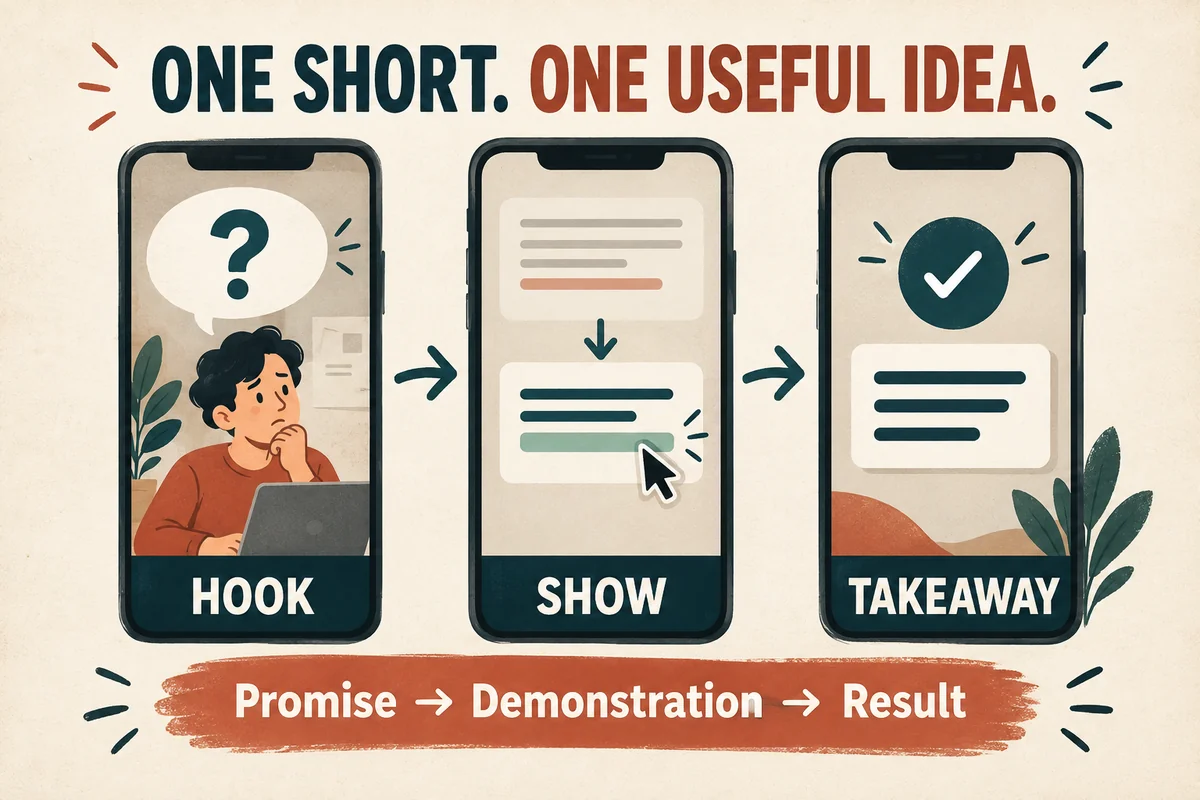
A strong short-form voice-over script makes one promise, shows one useful thing, and ends with a clear takeaway. Start with the result the viewer cares about, then write only the words needed to understand the demonstration. Generate the narration and measure its actual duration before finalizing the edit.
Do not begin by forcing a long article into a tiny time slot. Choose the smallest useful idea from that article and make the short video about that idea alone.
Pick one viewer problem
Write the problem in a sentence: “My microphone recording sounds distant,” “The demo moves faster than the narration,” or “The captions cover the button I am explaining.”
Choose a problem you can demonstrate visually. A before-and-after example, one screen action, or one clearly explained mistake gives the narration something concrete to support.
Avoid combining an introduction, a tutorial, a product comparison, and a sales pitch in one short. Each may be useful, but together they create competing promises.
Define what the viewer should remember if they remember only one sentence. That sentence becomes your closing takeaway and helps you decide which details to remove.
Use a hook that the video actually delivers
A hook should orient the viewer quickly. It does not need to exaggerate.
Useful structures include:
- “If your narration ends before the screen action, check this first.”
- “Here are two recordings of the same sentence.”
- “This caption is readable, but it covers the important button.”
- “Before you speed up the voice, remove this repeated line.”
Each opening points toward evidence the video can show immediately. Avoid “This changes everything” unless you are prepared to explain what actually changes.
Write the hook after identifying the demonstration. Otherwise, you may create an attention-grabbing promise that the footage cannot support.
Read the opening with the first frame visible. The viewer should understand why the words and image belong together.
Template one: show a small before-and-after
Use this original template for a practical editing tip:
“This voice-over line describes the same action twice. ‘Click Save to save your changes.’ Shorten it to ‘Save your changes.’ The screen already shows the button. Use the narration to guide the viewer, then leave room for the action.”
Suggested visual sequence:
- Show the original sentence beside the relevant screen.
- Highlight the repeated idea.
- Replace it with the shorter sentence.
- Play the scene with the revised timing.
The useful part is the demonstration, not a claim that every sentence should be short. Keep the lesson precise.
You can adapt this structure to a microphone comparison, a caption correction, or a pronunciation fix. Show the actual difference and explain the decision in ordinary language.
Template two: explain one mistake and its fix
Try this script for a timing problem:
“The voice says ‘choose the next tab,’ but the screen has already moved on. Start with the action marker. Place the spoken instruction just before the click, then play the whole step. If it still feels rushed, shorten the line or hold the screen longer.”
This script identifies the mismatch, explains a repair, and gives a review criterion. It does not rely on a specific editing application's menu names.
For the visuals, first play the mismatched scene. Then show the timeline adjustment and the corrected scene. Label the versions clearly so viewers understand the comparison.
Use the full voice-over synchronization guide when a project needs more than a short demonstration.
Template three: answer a narrow question
A question-led short can be useful when the answer needs a distinction:
“Does converting an MP3 to WAV improve the original recording? It changes the file format, but it does not bring back information already removed. Keep the cleanest original you have, and export a copy that meets your tool's requirements.”
The visual can show an original file, a converted copy, and a simple note about keeping the master. Avoid implying that file conversion is never useful; it can be necessary for compatibility.
Keep the answer near the beginning. The rest of the short should explain or demonstrate it, not postpone the answer until the final second.
This format works well for a single frequently asked question from a longer YouTube narration project.
Time the actual reading
Word count is only an estimate. Names, numbers, pauses, and delivery affect duration. Generate a test and measure it in the editor.
As an illustration, a fifty-word passage spoken at an assumed one hundred fifty words per minute would take about twenty seconds before extra pauses. That is simple arithmetic, not a recommended universal speaking rate.
If the narration is too long, remove repeated context first. Then simplify the sentence structure. Only after the wording is focused should you consider a modest timing adjustment.
Leave space for the visual result. A viewer may need a moment to compare two waveforms or read a short label after you stop speaking.
Keep the opening, demonstration, and takeaway visible as separate script sections so you can trim deliberately.
Review the short in its real viewing shape
Check the vertical or horizontal export you actually plan to publish. Text that looked comfortable in a large editor window may be too small on a phone.
Add accurate captions and check that they do not hide the demonstrated control. The caption workflow explains how to review text against the final audio.
Watch once with sound and once without. The silent pass can reveal whether the visuals and captions communicate the basic sequence. It does not replace the audio review; both matter.
How many ideas should a short contain? Usually one main lesson with the minimum supporting detail needed to make it useful.
Should the voice talk faster to fit more? Start by removing unnecessary words. A rushed delivery can make a simple point harder to follow.
Does every short need a call to action? No. A clear takeaway may be enough. If you include a next step, make it relevant to the problem the video just solved.
Try Our Voice Clone Demo
Hear your words come to life
Choose a voice and try a short preview.
Listen to sample voices
Hear examples before choosing a voice. Generated results can vary with the script and reference sample.
Looking for another voice?
Explore the library and listen to a sample before you create.

Morgan Freeman

Stephen Hawking

Christiano Ronaldo

Donald Trump

Kokoro

Disney XD Announcer

Cute Japanese Girl
Vin

Adam Stone
Transform Your Content with AI Voice Technology Today
Try a short voice preview, then create speech and save your audio in a workspace built for your next project.
Generate Your Voice Now